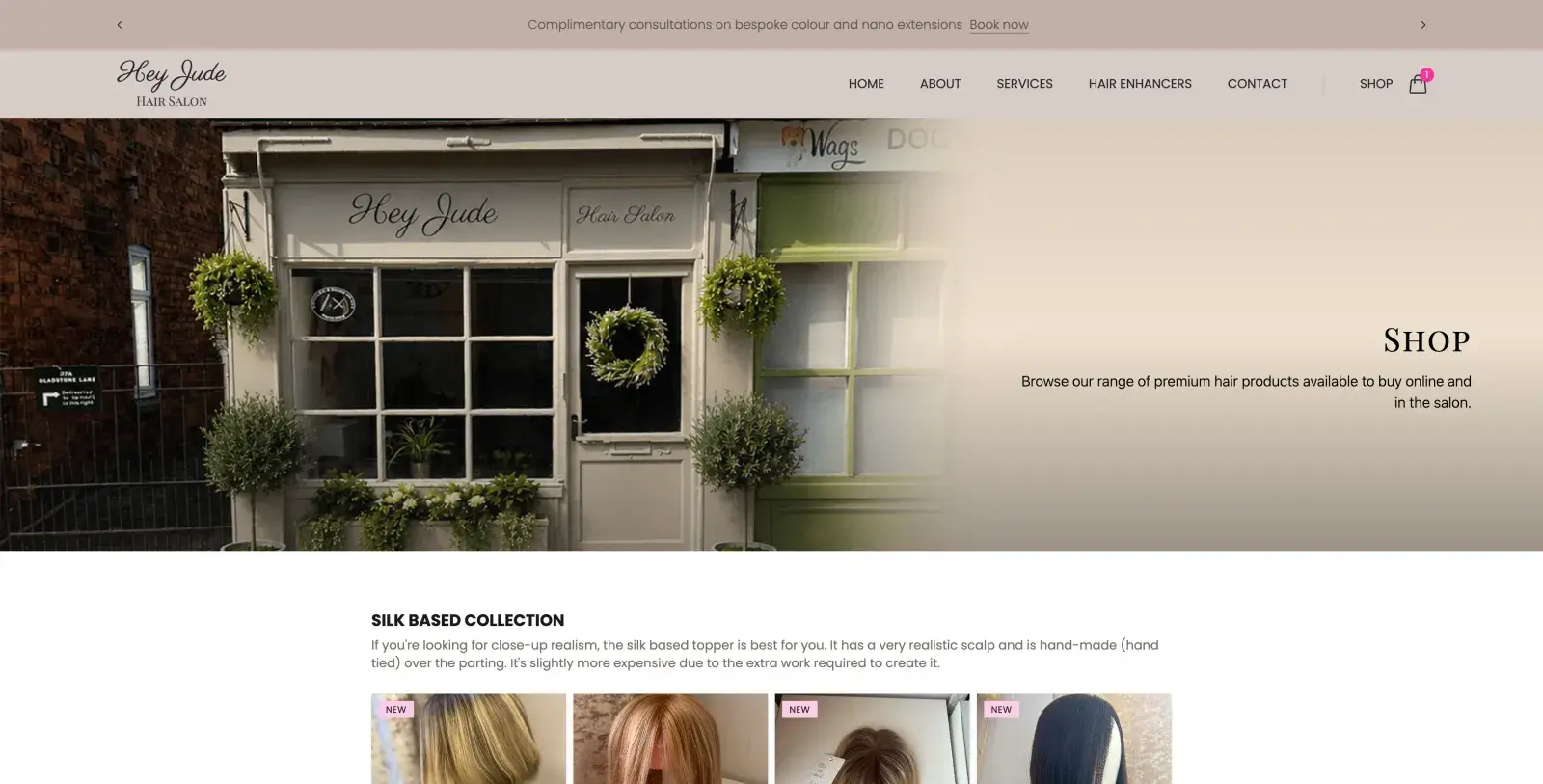
A Salon Ready to Sell Online
Hey Jude Hair Salon, based here in Scarborough, has been a client of mine for a while now, and their hair salon website (built in Nuxt 4) had already been live for some time, showcasing the salon and everything Jude has to offer in her salon shop. It's a simple services website at heart, but this year Jude decided she wanted to move into e-commerce, extending that offering online.
That meant turning a services site into one that could also carry a proper, fast, on-brand online shop, not something that felt added on as an afterthought. Here's how that build went, from the first Shopify dashboard headache through to a live checkout.
Jude's hair toppers aren't a commodity product. They're handmade, they come in silk-based, monofilament, and lace front collections, and each one needs enough detail (base size, length, density, colour) for a customer to buy with confidence without trying it on first. A generic Shopify theme wasn't going to do that justice, and it wasn't going to match the soft, editorial feel of the rest of the site.
So the goal was a headless storefront, built on Shopify's Storefront API: Shopify running the back end (inventory, payments, order management, Klarna) with a custom-built Nuxt 4 front end that actually looks like the rest of heyjudehairsalon.co.uk, rather than a bolted-on theme that clearly came from somewhere else.
If you want the fuller technical breakdown of how that pairing actually works, I wrote up how to build a headless Shopify store with Nuxt 4 separately, including a free starter template you can clone if you're trying to do something similar.
Getting Shopify Talking to Nuxt
The first real obstacle wasn't code, it was Shopify's own dashboard. Getting a Storefront API access token used to mean going in circles between the Partners dashboard and the Dev Dashboard, both of which assume you're setting up a fresh commercial app rather than a lightweight storefront integration. Shopify has since made this a lot more straightforward: you can now just enable the Shopify Headless app directly from the store admin, which generates the Storefront API token in a couple of clicks without needing to touch either dashboard.
With a token in hand, the actual integration came together as:
- GraphQL queries and mutations for products, collections, and cart operations
- Typed composables (
useShopify,useProducts,useCartApi) to keep API calls out of the components - A Pinia cart store, using
useCookieso the cart survives page reloads and hydrates correctly on the server, no flicker, no "empty cart" flash on refresh - A luxury-styled shop page with a filterable product grid, individual product pages, and a slide-out cart drawer
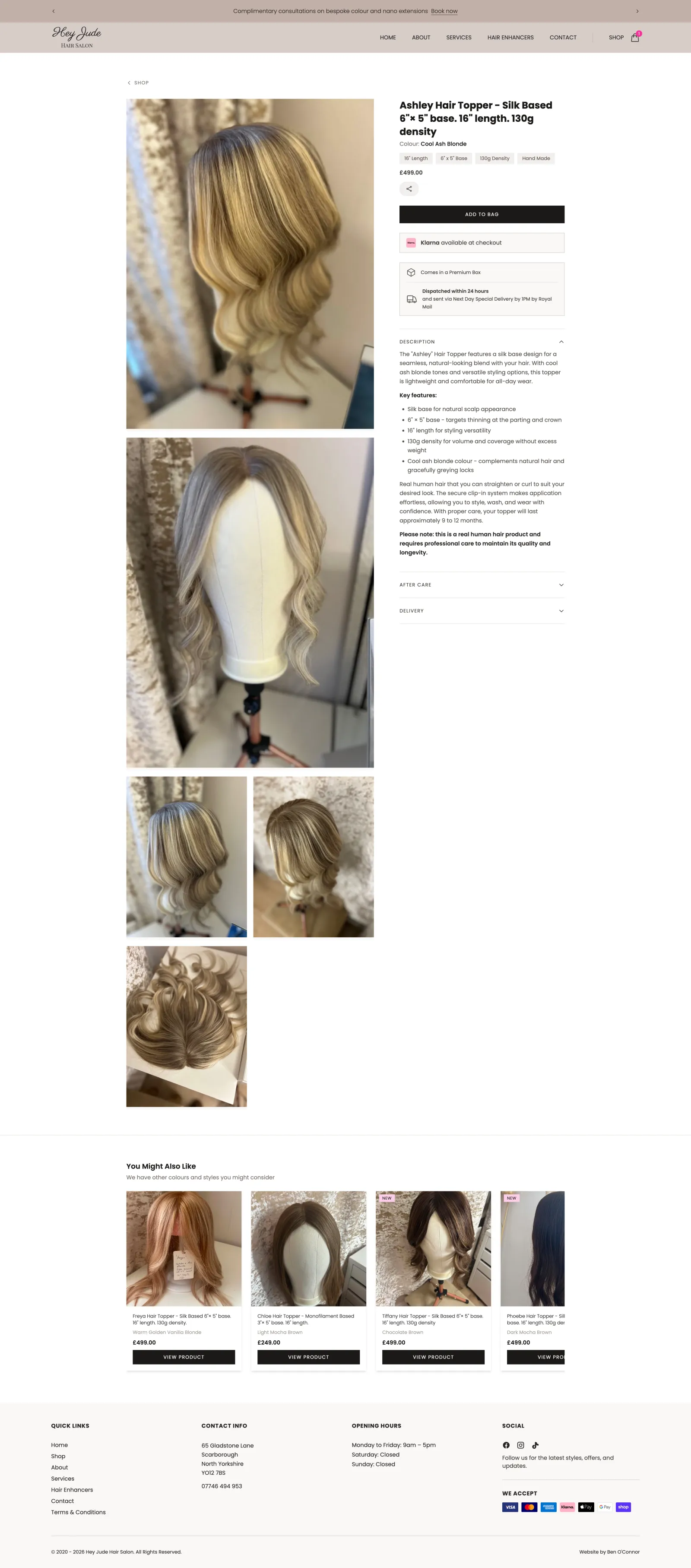
Every product page needed to carry real weight: base size, length, density, hand-tied construction, aftercare, and delivery information, all pulled dynamically from Shopify rather than hardcoded, so Jude can update stock and descriptions herself without needing me to touch the front end.
The Cart and Checkout Experience
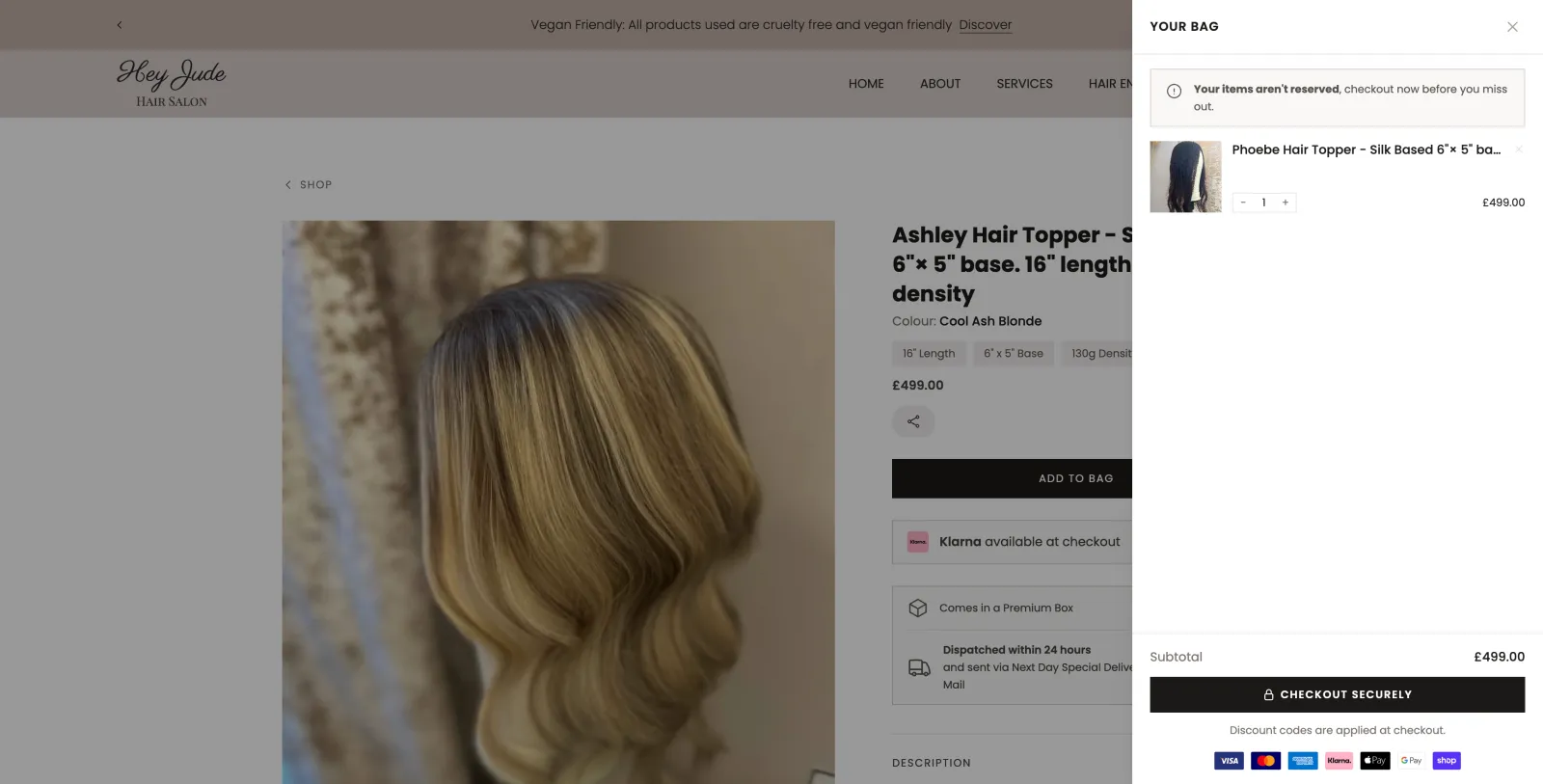
Because this is a headless build, the cart drawer is fully custom, styled to match the salon's soft, neutral palette rather than Shopify's defaults. Adding an item slides the bag open from the right with a clear subtotal and a straight line to checkout.
Checkout itself hands off to Shopify's own hosted checkout, which was a deliberate choice rather than a limitation. Trying to fully custom-build PCI-compliant payment handling isn't a sensible use of a small business's budget when Shopify's checkout is already fast, trusted, and supports Shop Pay, Google Pay, Apple Pay, Klarna, and card payments out of the box.
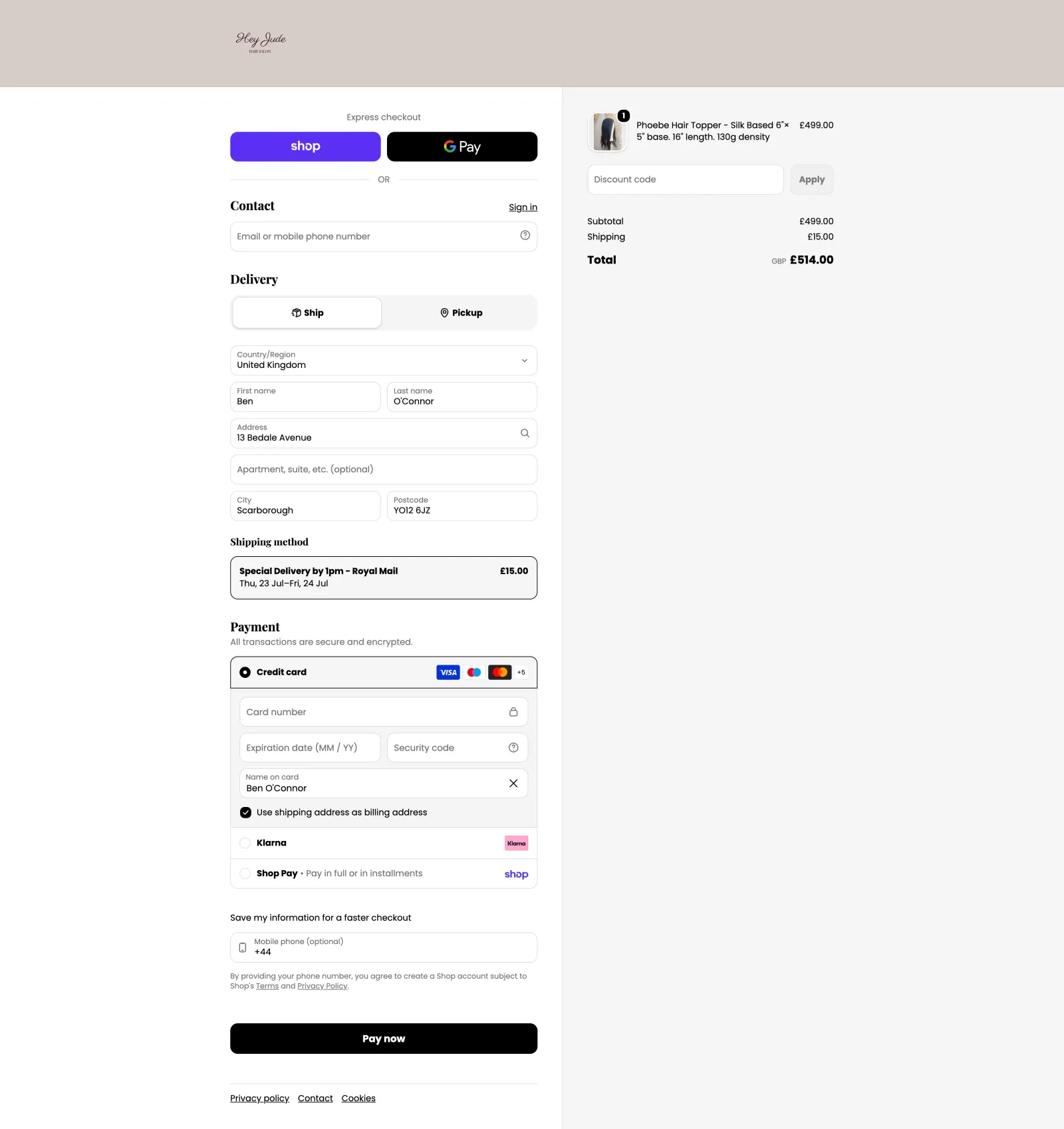
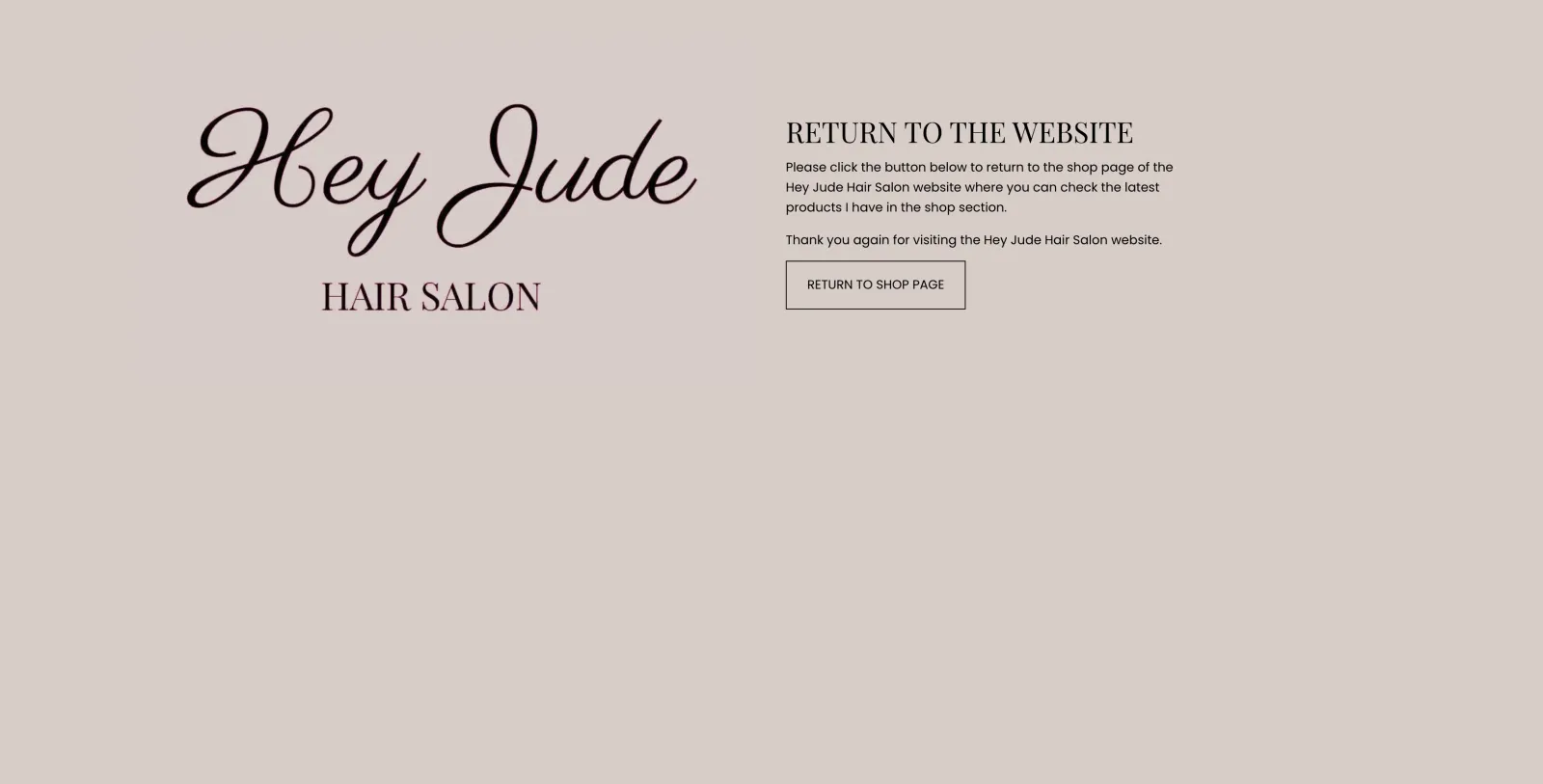
Getting that handoff feeling seamless rather than jarring took some extra work. Brand colours carried through and the Hey Jude logo present were the easy part. The harder part was what happens if a customer clicks the logo mid-checkout: because of the Shopify Basic domain limitation, that always lands on the Shopify theme itself, there's no way to redirect it to the Nuxt site directly. So rather than leaving customers on Shopify's default, unstyled theme homepage, I built a simplified page with a single button that takes them straight back to the Nuxt shop, so the handoff feels seamless rather than like landing on a completely different website.
Working Around the Limits of Shopify Basic
Going headless solves the "make it look and feel custom" problem, but it doesn't remove Shopify's own plan restrictions, and Basic (Hey Jude's plan) comes with a few that are worth knowing about if you're planning something similar.
The biggest one: checkout stays on Shopify's own domain. Fully custom checkout branding, including a checkout that lives entirely on your own domain, is a Shopify Plus feature. On Basic, the moment a customer clicks through to pay, they leave heyjudehairsalon.co.uk and land on hey-jude-hair-salon.myshopify.com. There's no way round that on this plan, so the best you can do is make the handoff feel as seamless as possible, which is why getting the brand colours, logo, and that stripped-back return-to-store page right mattered so much. It won't fully hide the domain switch, but it stops the checkout from feeling like a different, less trustworthy site.
The second issue was more fixable, but needed a theme edit rather than anything on the Nuxt side. By default, once a customer is sat on the Shopify-hosted checkout, any "return to store" or logo click takes them back to the default Shopify theme's homepage, not the actual Hey Jude site. Since the store itself only exists to power checkout (the real front end is entirely custom-built in Nuxt), that default homepage is essentially a dead end, unstyled, off-brand, and confusing to land on mid-purchase. I edited the theme so that link, and the equivalent post-purchase "return to store" step, instead loads a stripped-back branded page whose only job is to send the customer straight back to the real site's home or shop page.
The same problem showed up in Shopify's automated emails. Order confirmations, shipping updates, and the rest all include a "Visit store" link by default, and that link points to the myshopify.com domain, not the actual salon site. I went into the notification email templates and swapped those links so they point back to heyjudehairsalon.co.uk/shop instead, meaning a customer checking their inbox after an order always lands somewhere that actually looks like Hey Jude, not a generic Shopify placeholder page.
There's an SEO angle to the domain split too. Left alone, Shopify happily lets Google crawl and index the myshopify.com store, which means search results could just as easily send someone to hey-jude-hair-salon.myshopify.com as to the real site, splitting authority between two domains for the same products and doing nothing for Jude's actual brand. I added a noindex, nofollow robots meta tag into the Shopify theme's theme.liquid head, so search engines are told not to crawl or index anything on the myshopify.com domain at all. Every bit of SEO value stays on heyjudehairsalon.co.uk, and anyone searching for the shop only ever finds the one, correct domain.
None of this is documented clearly in one place, it's a mix of Shopify Admin settings, theme liquid edits, and notification template tweaks, but it's the kind of detail that separates a headless build that feels genuinely custom end-to-end from one that quietly falls back to default Shopify branding the second a customer leaves your actual site.
Beyond the Shop Page Itself
A working shop is more than the checkout flow. Alongside the storefront build, this project also covered:
- Designing the shop, cart, and checkout mobile-first from the start, since that's where most of Hey Jude's traffic comes from
- Writing delivery policy copy (Royal Mail Special Delivery by 1pm, 24-hour dispatch, UK and international rates)
- Configuring the store's email domain with proper SPF and DKIM records so order confirmations don't land in spam
- Processing and formatting Jude's logo across multiple sizes and formats for use in emails and on-site
- Customising Shopify's default notification emails to strip out unwanted links and match the salon's tone
Moving the Whole Site to Cloudflare
Once the storefront itself was working, the site was still sat on Netlify, where it had lived since the original redesign. With a proper shop now depending on it, that felt like the right moment to move to Cloudflare Workers instead.
Nuxt 4 has a dedicated cloudflare-module preset in Nitro, which meant the app could run as a genuine SSR Worker rather than a static export, no loss of the server-rendered cart hydration or dynamic product data that the shop depends on. In practice that gave a few concrete wins:
- Faster page loads globally, since Workers run on Cloudflare's edge network rather than a single region, which matters for a UK-based salon whose customers are mostly local, but who shouldn't have to wait on server round trips regardless
- Better baseline security, with Cloudflare's DDoS protection and WAF sat in front of the site by default, rather than being something to bolt on separately
- Image handling that actually fits the platform, serving product images through Shopify's own image provider rather than IPX, since IPX depends on
sharp, which can't run on Cloudflare's V8 isolates
The migration itself meant a full DNS cutover too, moving heyjudehairsalon.co.uk from Netlify DNS to Cloudflare, transferring the domain's registrar records, and rebuilding the zone file by hand to make sure nothing broke along the way: email routing, Shopify's DKIM records, and the site verification records all had to carry over exactly.
The Result
"I honestly can't recommend Ben enough if your business needs a website. He went through all of the process so clearly, from adding products into the Shopify admin, to helping me set up discount codes and managing my orders. I am so impressed and so pleased with the new online shop feature!" — Jude, Hey Jude Hair Salon
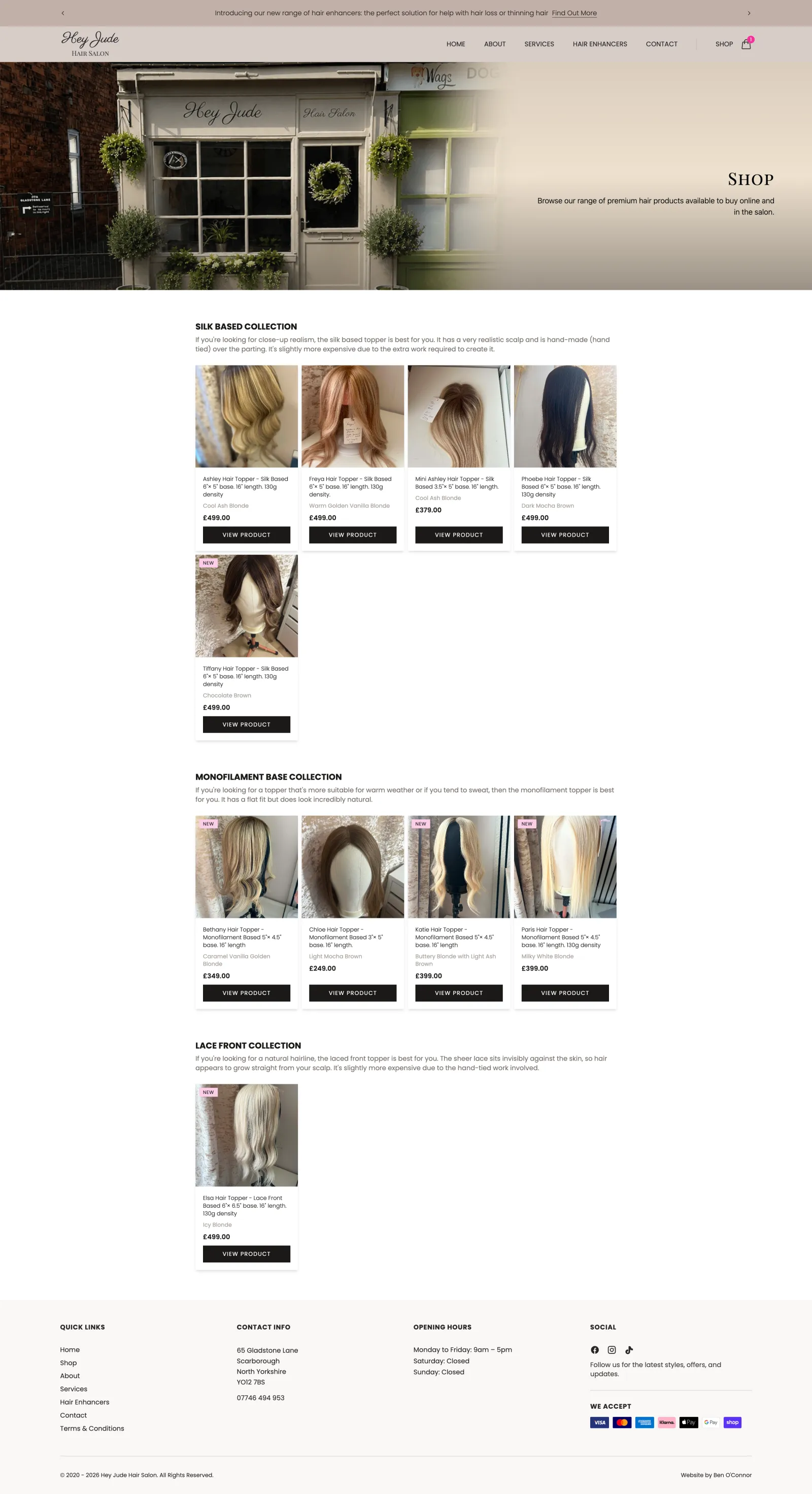
The whole build, from first Shopify token headache to a fully live, mobile-optimised storefront with working checkout, took around one to two months, worked in alongside my full-time role. You can see the finished shop for yourself at heyjudehairsalon.co.uk/shop.
A Personal Reflection
I'm really glad Jude asked me to help her with this. Early on, we talked through the pros and cons of switching the whole site over to a Shopify theme versus keeping the existing Nuxt site and adding Shopify's Storefront API on top. Jude was clear that if selling products online didn't work out the way she hoped, she didn't want to lose the website she already had, so building through Shopify's Storefront API made the most sense. That way she gets the best of both worlds: a fast, custom Nuxt 4 site, with the product and checkout handling of Shopify behind it.
The trade-off is that everything for the shop, every page and every component, had to be built from scratch rather than dropped in from a theme. I was glad to take that on, it's an area I'm genuinely experienced in, so it played to my strengths rather than being a slog. We spent the past couple of months building it all out while making sure Jude could still customise the bits that matter to her day to day, from the aftercare section (a two-image custom metafield in Shopify) through to the products themselves, where she can upload both images and video, and the site supports both. We've kept things deliberately simple to start with, but there's plenty of room to expand the e-commerce side further down the line.
If You're Weighing Up Shopify Themes vs a Custom Build
A well-chosen Shopify theme will always be the faster, cheaper route to a live shop, and for plenty of businesses that's exactly the right call. Where it starts to fall short is if you've already got a site you don't want to disrupt, or a brand that a theme genuinely can't do justice to. Just be aware that headless means a longer build, since nothing comes pre-made: every page and component gets built specifically for your shop rather than dropped in from a template.
If that sounds like where you're at, get in touch and we can talk through whether it's the right fit for your business.